Sunday, December 21, 2014

Making Time vs Finding Time

One of the most utilized excuses in education when it comes to change is lack of time. At one point or another, we have all used the time excuse when it comes to our professional work.  With all of the mandates and directives that are thrown our way, time becomes a relatively easy scapegoat when it comes to skirting the issue of change. Whether it be in the form of endless piles of paperwork, never ending observations, meetings with parents, attending events, developing a master schedule, or constructing a school budget – there never seemed like enough time in my day to even get those responsibilities done. It is never easy in the role of a teacher either. Lesson planning, grading, meeting with students before/after school, running clubs, and coaching all take up a great deal of their time as well.  Time is the number one enemy of needed change and improvement in my opinion.
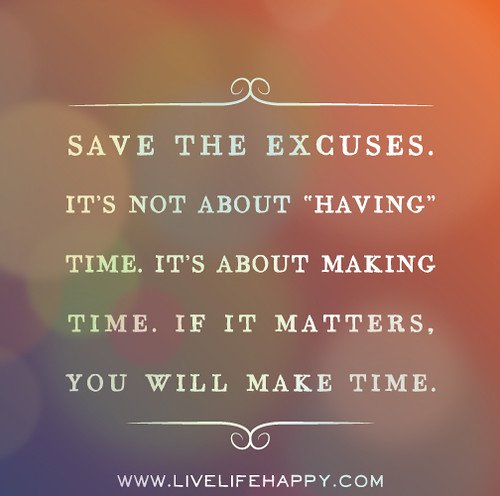

Image credit: https://farm8.staticflickr.com/7382/12354248703_f23b955afe.jpg

Let’s face the perceived fact that there will never be enough time in any of our days to get everything done.  Or is there? Regardless of your respective role in education, time will always be your enemy if you look at it with a fixed as opposed to a growth mindset. This is where you need to focus less on finding time and more on making time to complete necessary tasks that are not only required, but also ones that will allow you to grow, innovate, and develop more of a passion for your work. Before getting to this point you must look at how you currently utilize the time you have. In my case I was more of a manager as opposed to a leader. In response I began to either delegate the managerial aspects of my position as a principal to my assistants or I just got rid of obligatory routines shrouded in monotony such as certain meetings.  For teachers it is important to look at how time is spent during areas of opportunity during the day (i.e. prep periods, lunch) to see where a growth mindset can be employed.  

No matter how you slice it the time game will always be challenging, but there is hope. First and foremost, make the time to learn, grown, and get better as opposed to finding the time.  There is nothing more important to an educator, outside of working with kids, than professional learning. Carve out some time each day if possible. Through social media a Personal Learning Network (PLN) provides a great antidote to the age-old time excuse. You can now learn anywhere, with anyone, at anytime you want for free.  While online consider making some time to learn and then apply a new skill while earning a digital badge to acknowledge your informal learning.  As great as a PLN is to professional growth, make the time to connect face to face with colleagues at conferences and workshops. Hands-on learning and networking experiences are invaluable to any educator who aspires to and models life-long learning.

If you are an educational leader one of your responsibilities is to take the time excuse away from your staff. Consider flipping your faculty meetings.  This concept is based on the popular flipped classroom model. When flipping a faculty meeting teachers are given informational items to read and view in advance. This results in a shift from a leader-driven meeting to one where leadership is distributed. Instead of reviewing items off an agenda, time is spent more creatively as teachers take on a more active, creative role. For example, a short video outlining the agenda items can be created and viewed by teachers beforehand. Or articles and data sets can be distributed prior to the meeting for staff to review.  Actual meeting time can then be dedicated to analyzing data, developing common assessments, making policy revisions, discussing and/or modeling effective pedagogical techniques, or engaging in hands-on technology trainings.  Either way time is made available for all staff to do things on a consistent basis that normally fall by the wayside. To learn more about flipped leadership check out the latest book by Peter DeWitt.

Another way leaders can make time for teachers to engage in professional learning is to look for and then take advantage of opportunities embedded in the school schedule. During my tenure as principal I cut all non-instructional duties in half that each teacher had by contract to create the Professional Growth Period (PGP). This essentially freed up every single teacher at least two periods a week to engage in professional learning experiences that he/she was passionate about. You can read more about the journey to implement this initiative HERE

In 2015 and beyond how will you make time for yourself and others to grow and innovate?

Image credit: http://www.beliefnet.com/columnists/blissblog/files/2014/02/whatmattersmost.jpg

Sunday, December 14, 2014

Impact of a Makerspace

One of the best parts of my day is checking in on Media Specialist/Teacher Librarian Laura Fleming as she always shares the incredible work her students are doing in the makerspace she created at New Milford High School. Whether it is pictures or Vine videos, each day I witness high school students tinkering, inventing, creating, and making to learn. She has created a learning space and environment that students truly find value in as they are afforded the opportunity to explore their passions, be creative, and take ownership over their learning.  Lately I have been seeing many pictures from a specific group of students who have developed an interest in building their own computers. Last week I was utterly amazed when Laura asked me to check out the website (NMHS Computer Designs) that these students had created. After looking it over I asked if one of the students would consider writing a guest blog post for me. Luckily for us he said yes.  I hope you enjoy this guest post by NMHS freshman Chris Pavone as he explains the impact Laura and a makerspace have had on his high school learning experience. 

My name is Chris and I am a freshman at a New Jersey High School.  I always had an interest in computers, but that increased even more thanks to my library makerspace. When I started school this year, I found out that the makerspace had a Take-Apart Tech Station where students could visit and take apart computers.  Through this I learned the parts of a computer.  I enjoyed the experience so much that my friends and I then decided to challenge ourselves and began to think what we really could do with computers.  We decided to not only take a computer apart, but also to then put it back together.  We also decided to make a new computer case to put our computer in.  


The first thing we had to do was find a working computer to take apart.  Once we did that, we carefully took everything out of it.   There were a lot of screws and parts to disassemble.  It took us about three days of working on it to get everything out without breaking any of the parts.  After the computer was completely taken apart, we then began to think of ideas for making a new computer case.  We started looking around the library and in the back room we saw some empty boxes.  This is when we decided to turn a regular cardboard box into our new computer case!

We planned out how we would arrange the computer components in the box and drew lines where we wanted all of the parts to be.  Instead of screws, we used hot glue to attach the pieces to where we wanted them to be in the box.   We cut out pieces of the box to make cutouts for all of the plugs.  In order to do this, we measured the pieces and the size of the holes we needed to cut in the box.   After that we only had to put in the hard drive and the CD drive into our case and on day four our new computer was assembled!

At that point we attached a monitor and a power supply and turned our computer on to test it.  As amateur technicians, we were not surprised that we ran into a few problems. We spent some time researching the error messages we were receiving.  After a few hours, and with the help of Mr. Caronia, a member of our school IT department, we figured out the adjustments we needed to make. After successfully booting up our computer, Mr. Caronia created a user account for us to be able to login and gain full access to our computer.  We set it up so that other people in the library could use it and test it out too.  Right away students were logging on and using the computer to play games and do their work.   They were shocked that a computer in a cardboard box could work!  My school principal even came down to look.  After a few days, we moved our computer out into the showcase in our hallway.

If it weren’t for our librarian and Mr. Caronia, none of this would have been possible. Although this project was difficult at times, it was so fun and we were proud to have pulled it off.  A few days later, we wanted to try the same thing again and this time we decided to turn an old G5 Mac into a Windows-based PC. Once again, we really enjoyed it!

At this point we decided to create a website in order to share our creations with other schools around the world. Our hope is that students and teachers all over will learn from our work.  Not only do we hope they learn from it, but we hope that they participate in it. Visitors can register on our site to receive updates, they can post messages and questions in our forum, and they can participate in our challenge.  On our site we have a challenge for students to build their own computers and put them in a creative case. Students who do this can submit creations to us and we will post them in our gallery. We are proud that we have comments from teachers all over the country on our site already.  I am also proud that a student contacted me to tell me how much my website impacted her and a project she was working on.  I was even contacted by a librarian looking for my help in setting up a makerspace for her library!  

We know this is just the beginning for us and have plans to continuing taking apart computers, creating creative computer cases and sharing them on our site.  We hope our work inspires others to do the same!

Our schools are in desperate need of teacher librarians and media specialists like Laura Fleming. Had it not been for her growth mindset and innovative spirit, the learning environment that invokes relevancy and meaning in Chris's school day would not have become a reality. This is now the case for hundreds of students at NMHS. Informal learning is just as powerful, if not more, than formal learning.  Create a space that works for kids and let them make for the sake of making

Sunday, December 7, 2014

It's Elementary When it Comes to #EdTech

As a practitioner I am always looking to learn how to better assist educators at all grade levels.  Superintendent Scott Rocco provided me with a great opportunity to not only work with teachers in his district, but to also push me outside my comfort zone, which has always been secondary education.  In my position as K-12 Director of Technology Integration and Innovation in the Spotswood School District, I am assisting with the district’s transition to Google Apps for Education (GAFE) as well as working with teachers on the effective integration of technology.  Our goal is the purposeful integration of technology to support or enhance learning.  We not only want students engaged, but also want to see evidence of learning aligned to high standards as well as the development and application of essential skill sets.


Image credit: http://www.cdtl.nus.edu.sg/technology-in-pedagogy/imgs/left-img.jpg

The other day I had the unique challenge and opportunity of working with elementary teachers in the Spotswood School District. This was a particular challenge as the teachers of this particular school serve students in only grades pre-kindergarten, kindergarten, and first.  The goal was simple, to introduce and train them on some age appropriate technology tools while identifying natural pedagogical fits.  To accomplish this I had to quickly familiarize myself with some new tools. I had a few in my toolbox, but needed more. So I did what I have been doing for the past five years and that was submit a query to my Personal Learning Network (PLN) using Twitter and Google+. 

Within minutes I was bombarded with so many new tools.  As I started to look them up I quickly realized I had to revise my query, as I was not specific enough. The teachers I was working with only had access to a laptop cart, thus apps that had to be downloaded on a device were not an option. Within minutes I received new recommendations and I took a few minutes to learn how to use each new tool. Due to the intuitive nature and ease of use, this did not take much time at all.  At the meeting later that day I introduced each of the tools to the group and noted which ones did not require student access to a computer. Each demonstration was then following by a quick discussion on the natural pedagogical link and possible learning activities.  Below is the list of tools presented:
  • Padlet - Create an online wall of virtual, multimedia post-it notes with your students
  • Kahoot - game-based digital pedagogy  
  • Plickers – No tech, no problem! Download and print cards for free; make sure you also download the free app on your phone
  • Little Bird Tales - digital storytelling in the primary classroom
  • Build Your Wild Self - creative design application that is great for writing prompts
  • AWW - a web whiteboard - a free, online whiteboard to foster creativity
  • edshelf - search for web-based tools by age, subject, platform, and category 
After just thirty minutes the group of passionate educators I worked with were now equipped with a new set of tools that they could begin to immediately implement as part of their lessons the next day. The added benefit for me as a result of this training is that I learned about an array of new tools to better assist elementary teachers with technology integration in Spotswood and beyond as I work with educators across the globe.  What web-based tools that can be accessed through a browser would you add to this list? Please share in the comments section.

Sunday, November 30, 2014

Stop Ignoring Google+

In case you didn't know there are thousands of educators and an array of learning communities over at Google+.  The bottom line is that many people are missing out on some great content, resources, and conversation.  From my point of view educators become quickly attached to one specific social media tool as their go to source for his/her Personal Learning Network (PLN).  Take Twitter for example.  Now anyone who knows me knows that I absolutely love Twitter as a professional learning and networking tool. It has been and will continue to be my number one choice when it comes to learning in the foreseeable future. Twitter has many positive attributes, but also a growing number of negative aspects.  Some examples in my opinion, include an increasing amount of negativity and disrespect, rise in social media cliques, difficulty in following chats, noise, and overbearing opinions.  Even as Twitter still works great for me and others it is not the only player out there.  Nor should it be considered the best learning option for all. At times I just need to get away from the echo chamber to focus more on my learning.


Image Credit: http://blog.markerly.com/wp-content/uploads/2014/01/art-img-google-plus-20131102.jpg

Lately I have been spending more and more time over at Google+.  It amazes me that some people think that it is a dead community. This is obviously not that case or I would not be dedicating as much time as I have recently.  There are some similarities between the two social networks.  One great characteristic shared by both Twitter and Google+ are hash tags (#). The only difference being that popular hash tags in the Twitter world do not carry the same weight over in Google+.  Instead of favoriting a tweet you give it a G+.  The practice of retweeting is mirrored by a simple arrow at the bottom of the post that will allow you to share it across your network and beyond.  As a social network you can also share text, images, videos, and links, but in a much more dynamic way. This is one of the many ways that a Google+ experience differentiates itself from Twitter. Here are some other key differences that provide an enhanced learning and experience:
  • Circles - Unlike Twitter you can place all of the members of your PLN in different circles. With Twitter you send out a tweet and everyone who follows you, pulls up your page, or accesses the hash tag (if you use one) has an opportunity to see it. You can do the same thing on Google+, but you also have the ability to send your message to a specific circle, all of your circles, extended circles, or the entire Google+ world. With circles you can organize your PLN sort of the same way you would your websites using a social bookmarking tool.
  • No Character Limits - Twitter is a bit prohibitive with it's 140 character limit. This is the one feature I love the most about Twitter as it allows me and others to be brief. What if you want more? With Google+ there are no character limits so you can be as detailed as you want. This really adds to your ability to make a point, explain a strategy, discuss an issue, etc. It also keeps all those random rants from entering into your stream that Twitter is becoming notorious for.
  • Threaded Conversations - Twitter chats work for some, but they definitely do not work for all. Just the shear pace of a chat makes them difficult for many educators to follow. Personally I have found that when I try to engage and ask questions directed to specific people those questions go unanswered.  With Google+ each update becomes a threaded conversation that you can engage in at your own pace.  Comments also live in the update so you can go back and reference them at anytime. You can even share the thread across other social networks while accessing all of the resources, ideas, and knowledge that was discussed. I see this characteristic as bringing order to chaos.
  • Dynamic Updates - In addition to sharing text, links, videos, and photos with Google+ you can also create and share events and polls right from your status update box. 
  • A More Comprehensive ProfileYour Google+ account seamlessly links your YouTube account. If you use Picasa all of the pictures you upload will also go to your Google+ page. Another cool picture feature is that all pictures include in my Google Blogger posts are archived in the photo section of Google+.  The about section allows you to include much more detail than Twitter without character limits and and array of additional categories.
  • Hangouts - Many educators are aware of Google Hangouts (GHO's) that allow users to engage in free group video chat.  Hangouts on Air are even more dynamic video chats where you can schedule live broadcasts, host interactive conversations by taking audience questions in real time or in advance, use live apps to enhance the viewing experience, and immediately archive to YouTube when finished.
  • Communities - This is one of my favorite features of Google+. Anyone can join an existing community or create a new one. The difference between Twitter is that you can have rich conversations and share blog posts, resources, ideas/strategies, plan/publicize events, and have discussions aligned to specific categories. Evan Scherr and I have created a Digital Leadership Community. With the evolution of #digilead on Twitter our goal was to develop a space that brings together all the people, ideas, resources, and conversation related to digital leadership and learning. Evan and I hope that you will consider joining this community and sharing everything that you already do on Twitter. Not only is it free, but it gives you a chance to amplify your work and voice while engaging with like-minded educators at a deeper level. 
Google+ is a powerful and dynamic social media tool that many educators and leaders are not taking advantage of.  To begin simply start by setting up your circles, connect with other educators, share your content (i.e. blog posts) and lurk for a little bit. Search for and join a few communities as well. If you need any help please feel free to connect and engage with me on Google+.

So what is stopping you from using Google+? If you are using it consistently what added benefits would you highlight?